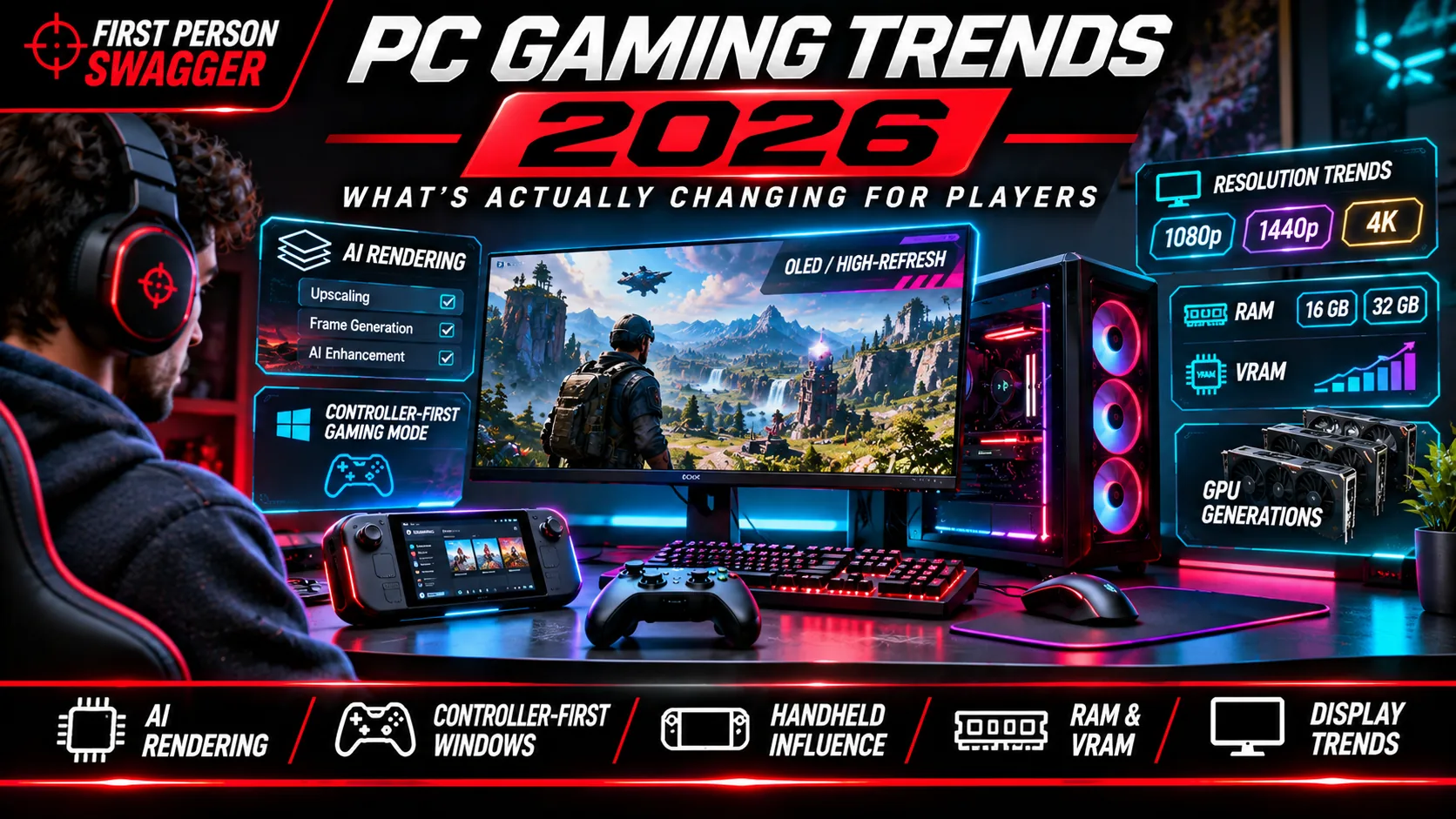
PC gaming trends are easy to confuse with expensive product launches. Every few months a new flagship graphics card, a faster monitor or a bigger frame-rate multiplier takes over the headlines, and it can start to feel as if everyone is moving to that hardware at once. Mostly, they aren't.
The trends that matter more for ordinary players are slower and less flashy. They show up in the default graphics options games ship with, in the hardware people actually have installed, in how frames get drawn, and in where and how people play: at a desk, on a couch, or on a handheld. This guide looks at those changes as they stand in late 2026, what they mean if you are deciding whether to upgrade, and where the marketing runs ahead of reality.
A note on the numbers: where this article cites hardware shares, they come from Valve's Steam Hardware & Software Survey for October 2026. That survey is optional and anonymous, and it reflects Steam users who chose to take part. It is a useful snapshot of a large group of PC players, not a census of the whole PC gaming market.
1. AI-assisted rendering is becoming part of the normal graphics stack
A few years ago, upscaling and frame generation felt like experimental extras. Today they are ordinary entries in many games' graphics menus, sitting next to texture quality and shadow detail. Upscaling renders the game at a lower internal resolution and reconstructs a higher-resolution image. Frame generation creates additional frames between traditionally rendered ones. Ray reconstruction and similar features use trained models to clean up the noisy output of ray-traced lighting.
NVIDIA's DLSS and AMD's FSR are the best-known examples. NVIDIA's official list of RTX games, updated on Oct. 28, 2026, shows broad support for DLSS technologies across many titles, and DLSS 4.5 includes Dynamic Multi Frame Generation options on supported hardware in supported games. AMD's FSR "Redstone" is a suite of machine-learning features covering upscaling, frame generation, ray regeneration and radiance caching, and AMD says more than 400 titles support FSR overall.
Those headline numbers hide real differences. Not every RTX card supports every DLSS feature, and not every game that supports DLSS supports all of its modes. On the AMD side, a game supporting FSR upscaling is not the same as a game supporting Redstone's full feature set, and feature availability depends on your GPU generation. Before counting on any one feature, check what your specific card and your specific games actually support.
It also helps to keep generated frames separate from rendered frames in your head. A rendered frame comes from the game simulating and drawing the scene. A generated frame is produced in between, based on surrounding frames. Frame generation can make motion look smoother, but it does not make the game itself respond faster, and how it feels depends on the game, the settings and the base frame rate underneath.
That base frame rate still matters. Frame generation works best as a way to smooth out performance that is already reasonable, not as a fix for a system that struggles. Image quality varies too: upscaling and generated frames can show artifacts such as shimmering, ghosting or smeared fine detail, and how noticeable that is differs from game to game and person to person. "AI" in a feature name doesn't make it automatically better. Treat these as tools worth testing, setting by setting, in the games you play.
2. PC interfaces are becoming more controller-first
For most of its history, the PC desktop assumed a mouse and keyboard. That is changing at the edges. In 2026, Microsoft extended its Xbox mode, a full-screen gaming experience first seen on handhelds, toward Windows 11 PCs more broadly, including laptops, desktops and tablets.
The idea is straightforward: a controller-optimized, full-screen view for launching and switching games, designed to reduce background distractions and tasks so the machine feels more focused on play. For a PC connected to a TV, a handheld, a laptop docked to a big screen, or anyone who switches between the desk and the couch, that can remove a lot of friction. Getting from power-on to a game with only a controller has long been one of the clunkier parts of PC gaming.
This is not the PC turning into a console. The open desktop is still there, with its launchers, mods, settings and tools. A controller-first mode is an extra way to use the same machine. And it doesn't mean mouse and keyboard are going away; for competitive shooters, strategy games and most desk setups they remain the default. The trend is flexibility: one PC that can comfortably fit more ways of playing.
3. Handheld PCs are influencing the wider platform
Handheld gaming PCs have small batteries, tight thermal limits and memory shared between the CPU and graphics. Those constraints force software to be more careful, and that work is starting to matter beyond handhelds.
Microsoft's work around the ROG Xbox Ally is a good example. It drove Windows gaming optimizations around power use, background activity, unified-memory behavior and controller-first use. Related industry efforts around how shaders are compiled and delivered aim to reduce the stutter players notice when a game prepares graphics work on the fly.
Some of this thinking can carry over to laptops and desktops, but it is not automatic. Not every PC gets every optimization designed for a handheld, and results depend on hardware, drivers and the game. The broader lesson is still useful: efficiency and consistent frame pacing are becoming as important as raw peak frame rate. A game that holds a steady frame rate with few spikes often feels better than one that hits a higher average but stutters. When you judge your own performance, look at consistency, not just the highest number on the counter.
4. 1080p is still the mainstream baseline
Hardware coverage, reviews included, often focuses on 4K and high-end 1440p, which can make it seem like everyone has moved past 1080p. The October 2026 Steam survey suggests otherwise among its respondents:
- 1920×1080 is the primary display resolution for 50.23% of respondents overall, and 51.93% of Windows respondents.
- 2560×1440 accounts for 21.82% overall.
- 3840×2160 (4K) accounts for 5.05% overall.
Among Steam survey respondents, 1440p is a substantial and meaningful group, but it is clearly smaller than 1080p, and 4K primary displays remain a small minority. These figures describe people who took the survey, so treat them as a strong signal rather than an exact count of every PC player.
For players, the takeaway is practical. 1080p remains a sensible resolution for budget systems, for many gaming laptops, and for esports players who prioritize high frame rates over pixel count. 1440p is a strong middle ground for many people with mid-range or better hardware, but it isn't the right answer for everyone; it depends on your GPU, your games, your screen size and how far you sit from it. If most hardware coverage you read is tested at 4K, remember that it may not reflect the resolution you actually play at.
5. 16 GB and 32 GB RAM are both mainstream realities
System memory is one of the clearer splits in the October 2026 Steam survey. Among Windows respondents, 16 GB accounts for 41.27% and 32 GB for 38.18%. That shows an established 16 GB base alongside a large and growing 32 GB group, not a market that has abandoned one for the other.
How much memory you need depends on what you run. Some games use more memory than others, and everything else running at the same time also counts: browsers, voice chat, launchers, overlays and recording software. Streaming while playing, running heavy mods, or keeping lots of other applications open can push memory needs higher.
None of this makes 16 GB obsolete or 32 GB mandatory. If your system with 16 GB runs your games well and you aren't seeing slowdowns tied to memory use, there may be no reason to change. If you stream, mod heavily or multitask a lot and notice your system running out of memory, 32 GB is a reasonable step. Base the decision on what you do, not on fear of being left behind.
6. VRAM matters more, but the installed base is still mixed
Graphics memory, or VRAM, has become a bigger part of the upgrade conversation. Higher-resolution textures, ray tracing and higher output resolutions can all increase how much VRAM a game wants. When a game needs more than the card has, you may see stutter, texture pop-in or lower-quality textures being used.
At the same time, the installed base is broad. Among Windows respondents in the October 2026 Steam survey, 8 GB is the most common VRAM amount at 33.90%, followed by 12 GB at 14.26% and 16 GB at 11.64%. A large share of players are still on 8 GB-class GPUs, which is one reason developers continue to build settings that scale across a wide range of hardware.
There isn't a single universal VRAM minimum that applies to every player. What you need depends on the games you play, the resolution, and the settings you choose. Settings optimization still makes a big difference: adjusting texture quality, ray-tracing options or upscaling can bring a game back within a card's limits. If you are buying a new GPU, look at the games you actually play at the resolution you actually use, and consider how much headroom you want for the next few years.
7. Premium displays are moving faster than mainstream adoption
Display technology is advancing quickly at the top end. OLED panels, very high refresh rates and combinations of ultrawide shapes with high resolutions are all moving forward. ASUS announced 2026 OLED gaming displays including a 24.5-inch OLED esports monitor running at up to 540 Hz, along with new RGB Stripe OLED models. LG's 2026 UltraGear lineup includes a 39-inch curved 5K2K OLED running at up to 330 Hz.
These are useful signs of where premium display technology is heading. They are not evidence that most players need, or are buying, those specs. As the resolution figures above show, mainstream setups among Steam survey respondents look very different.
Refresh rate also matters differently depending on the player and the game. A very high refresh rate only helps if your system can produce frame rates high enough to use it in the games you play. For a competitive player in a lighter esports title, high refresh can be valuable. For someone playing demanding single-player games at frame rates well below the monitor's maximum, the extra headroom may go unused. Choose a monitor that fits your GPU, your games, your desk distance and your budget, rather than the biggest number on the box.
8. The "typical gaming PC" is increasingly hard to define
It used to be easier to describe a standard gaming PC. Today the installed base is spread across many GPU generations, desktops and laptops, and very different price points. The October 2026 Steam survey shows that no single current GPU dominates. Among the more common entries are the RTX 3060 and RTX 5070 at around 3.78% each, the RTX 4060 Laptop GPU at around 3.60%, the RTX 4060 at around 3.51%, and the RTX 3050 at around 3.25%.
That list spans three NVIDIA generations and includes both desktop and laptop parts. Even the most common cards each account for only a small share. Flagship launches get most of the attention, but they represent only a slice of what people actually use.
For developers, this fragmentation is a strong reason to keep games scalable across a wide range of hardware. For players, it is a reminder to judge upgrades against your own needs: the games you play, the resolution you use and the frame rate you want. A newer generation number does not automatically mean a meaningful improvement for you, and an older card that runs your games well may not need replacing yet.
What these trends mean if you're upgrading
Put together, these trends point toward a few practical rules:
- Upgrade for a measurable bottleneck. Identify what's actually holding you back, whether that's the GPU, CPU, RAM, VRAM, storage or heat, before spending money.
- Choose your display resolution before your GPU tier. The resolution and refresh rate you plan to use shape what kind of graphics card makes sense.
- Check VRAM needs for your actual games and settings. Don't rely on a single universal number.
- Don't buy around frame generation alone. It can be a useful extra, but a card should deliver solid base performance in your games without it.
- Decide on 16 GB or 32 GB based on your workload. Streaming, heavy modding and multitasking are good reasons to add memory; anxiety isn't.
- Factor in how you play. If you use a handheld, a living-room PC or switch between desk and couch, controller support and interface comfort may matter more than they used to.
- Match a premium monitor to the frame rates you can actually achieve. A high-refresh display is most valuable when your system can feed it.
What probably matters less than the headlines suggest
Some claims get more attention than they deserve when you are making real decisions:
- Maximum advertised frame-rate multipliers. Multipliers from frame generation depend on the game, the settings and the base frame rate, and generated frames are not the same as rendered ones.
- Extreme refresh rates your system can't reach. A monitor's maximum refresh only matters if your games run fast enough to use it.
- One benchmark at one resolution. Results at 4K with maximum settings may say little about how a card performs at 1080p or 1440p in the games you play.
- Treating the latest generation as automatic value. New isn't always the best deal for your needs.
- Assuming 4K is the default target. Among Steam survey respondents, it's still a small minority of primary displays.
- Assuming AI graphics features are all the same. Support, quality and behavior vary across vendors, GPU generations and individual games.
A practical 2026 PC gaming checklist
Before you upgrade, ask yourself:
- What resolution do I actually play at?
- What frame-rate range do my games reach right now?
- Am I limited by my GPU, CPU, RAM, VRAM, storage or thermals?
- Do the games I play support the upscaling or frame-generation features I care about, on my hardware?
- Do I play at a desk, on a couch, on a handheld, or a mix?
- Is my monitor limiting what I'd see from an upgrade?
- Am I solving a problem I have now, or buying for a hypothetical future one?
Final takeaway
PC gaming in 2026 isn't moving toward one correct build. It is becoming more flexible: more form factors, from desks to couches to handhelds; more software-assisted rendering; faster premium displays; and a huge installed base that spans older and newer hardware. The headlines will keep focusing on the top end, and that's fine, but the best upgrade decisions still start with your own bottleneck, your own games and the way you actually play.