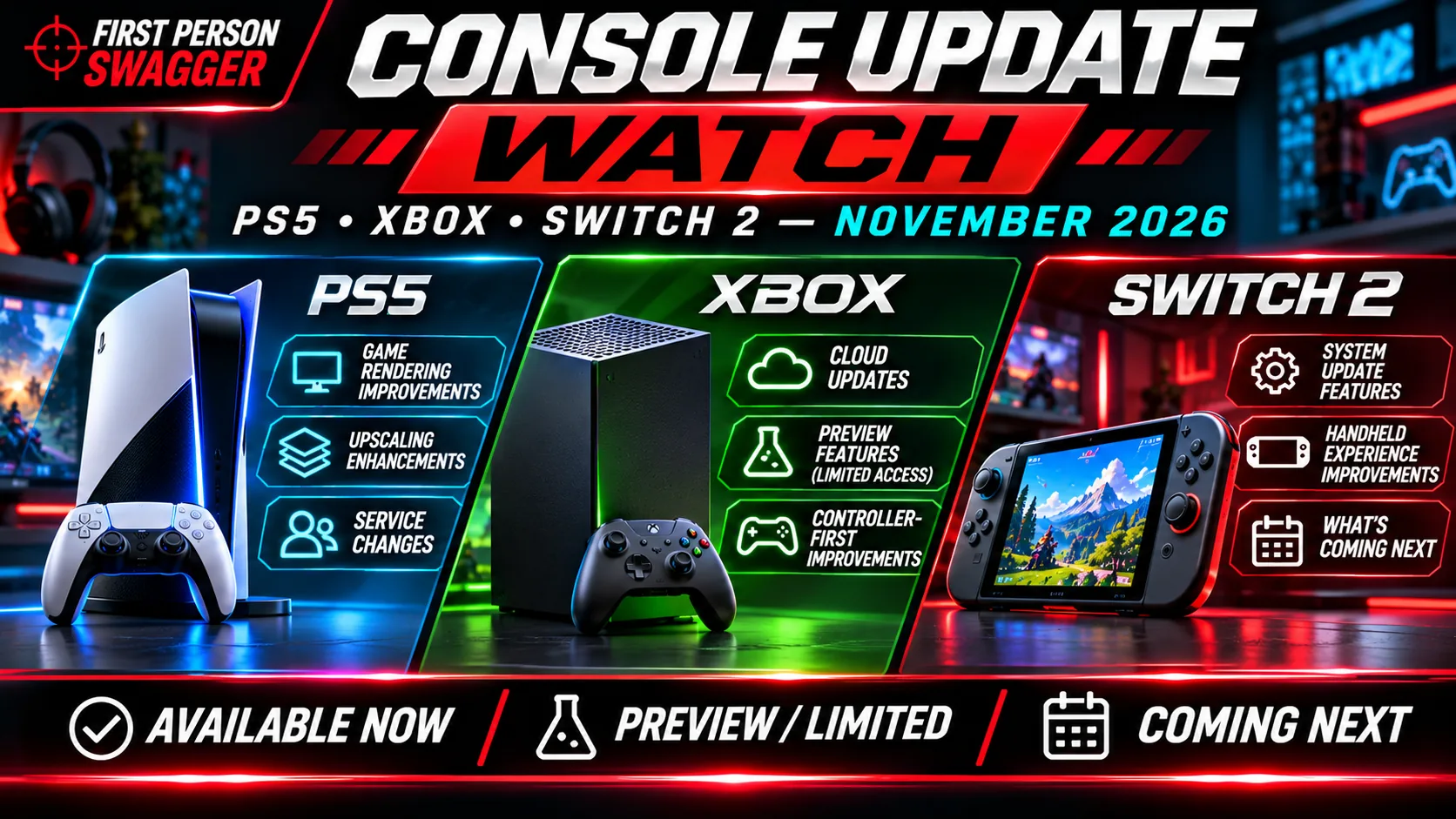
Console updates used to mean one thing: a firmware download that changed how your system worked. In 2026, "update" can mean three quite different things. There are firmware and system-software updates, which change the software on the console itself. There are platform-service changes, which change the apps, stores, subscriptions, and cloud services around the console. And there are preview features, which a limited group of players can test before anyone decides whether, when, or how they reach everyone else.
Those three categories get blended together in headlines, and that makes it hard to know what actually changed on the box under your TV. A useful update watch has to separate them. This snapshot is current as of Nov. 13, 2026, and it covers PlayStation 5, Xbox, Nintendo Switch 2, and the original Nintendo Switch. It sticks to what the platform holders have officially announced or documented. It doesn't cover rumors, leaks, or predictions, and it doesn't try to name a winner.
Nintendo has the clearest fresh system update
Of the three platform holders, Nintendo shipped the most straightforward November system update. Nintendo Support lists Nintendo Switch 2 system version 23.5.0 as released on Nov. 9, 2026 in North America, with some regions receiving it on Nov. 10. If you're checking your own console and still see an older version, region timing is the first thing to rule out.
The update notes are short, and that's normal for an incremental release. Here is what Nintendo lists:
- Accessibility settings during first-time setup. You can now configure accessibility settings while setting up the console for the first time, instead of finishing setup and then digging through System Settings afterward.
- Support for upcoming eShop family gifting. The update adds support for a feature that will let you gift Nintendo eShop products to a member of your Nintendo Account family group.
- Portuguese (Portugal) language support. Portuguese (Portugal) has been added to Text to Speech and to GameChat's speech-to-text and text accessibility language options.
- General adjustments and fixes. Nintendo's standard line for system stability work.
The gifting item needs the most care. The 23.5.0 update adds support for gifting, but Nintendo says the feature itself becomes available after a Nintendo eShop update and maintenance scheduled for Nov. 17, 2026. As of Nov. 13, the support is on your console, but the service isn't switched on yet. If you go looking for a gift option in the eShop before Nov. 17 and can't find it, nothing is wrong with your system.
In practical terms, 23.5.0 brings useful accessibility and setup improvements now, groundwork for a family feature arriving soon, and better language coverage for some players. It isn't a large interface overhaul, and it doesn't change how your games run. That's fine. Accessibility options available from the very first screen matter a lot to the players who need them, even if they don't generate big headlines.
Original Switch also got 23.5.0, but with fewer new pieces
The original Nintendo Switch received a system update with the same version number. Nintendo Support lists Switch system version 23.5.0 as released on Nov. 9, 2026 in North America.
The shared version number doesn't mean shared contents. According to Nintendo's notes, the original Switch update includes:
- Support for the same upcoming eShop family gifting feature, which, as on Switch 2, is scheduled to become available after the Nov. 17 eShop update.
- General adjustments and fixes.
The first-time accessibility setup changes are listed for Switch 2 in the verified notes, not for the original Switch. Don't assume a Switch 2 feature arrived on your older console just because the version numbers match.
The parallel release is still a useful signal. Nintendo continues to update both systems side by side where their services overlap, and the eShop and Nintendo Account family groups are shared ground. If your household has both consoles, the gifting feature should behave as a family-account service rather than a single-console perk, once it goes live.
Switch 2's bigger recent changes happened in September
To put 23.5.0 in context, it helps to look back two months. In September 2026, Nintendo released Switch 2 system version 23.0.0, and that was the more substantial feature drop. It added:
- Expanded GameChat behavior and options, giving players more control over how voice and video chat works.
- Settings for Virtual Game Cards, Nintendo's system for managing digital game licenses across consoles.
- VRR support in TV mode, when the software and the TV both support it and the dock has been updated.
- Switch 2 to Switch 2 system transfer, for moving your data from one Switch 2 to another.
- Handheld Mode Boost control and other quality-of-life changes.
A follow-up, version 23.0.1, fixed an issue where software could take a long time to start, pause, or close.
The VRR item is a good example of why update notes need careful reading. VRR in TV mode depends on three things lining up: a game that supports it, a TV that supports it, and a dock running updated software. If any one of those is missing, the feature won't do anything for you, even though your console is fully up to date.
Seen together, the pattern is clear. September was the meaningful feature release, and November's 23.5.0 is an incremental follow-up that tidies setup, adds language support, and lays groundwork for gifting. If you skipped the September notes, they're the ones worth reading.
PlayStation's late-2026 changes are happening around rendering and services
To be explicit: the official PlayStation Blog material used for this snapshot doesn't include a major November 2026 PS5 system-software feature announcement. There is no headline November firmware feature set to report, and this article won't invent one.
PlayStation Support's standing guidance still applies. Keep your PS5 system software current through Settings > System > System Software > System Software Update and Settings. Controller device software updates can also be included with PS5 console system software updates, so keeping the console current usually covers your controller too.
The more meaningful recent PS5 development came on Oct. 1, 2026, when Sony announced Quick Spectral Super Resolution, or QSSR. In broad terms, QSSR is a lighter, AI-guided upscaling option for the standard PS5. Games can render at a lower internal resolution and then use the upscaler to produce a sharper final image. Sony says it comes from Project Amethyst, its work with AMD.
A few points keep QSSR in proportion:
- It's game-by-game. QSSR launched first in Marvel's Wolverine and Ghost of Yotei as an additional graphics option. It isn't a console-wide switch that upgrades every PS5 game you own. A game has to support it.
- It sits alongside PSSR, not in place of it. PSSR remains the higher-tier upscaling solution on PS5 Pro. QSSR brings a lighter version of the idea to the standard PS5.
- It's an option, not a guarantee. In supported games, it appears as an extra graphics choice. How it looks and feels will depend on the game and on your own preferences.
The other PlayStation change is about services. On Nov. 10, 2026, PlayStation announced that the PlayStation Plus app on PC will retire on Dec. 10, 2026. PlayStation says this doesn't affect PS Plus memberships or benefits on PS5 or PS4.
That distinction matters. PlayStation Plus isn't ending, and nothing is being removed from your console. One way of accessing PlayStation Plus on PC is going away. It's a change to PlayStation's service footprint, not a console feature removal. If you only play on PS5 or PS4, your membership works the way it did before.
So PlayStation's late-2026 story is less about firmware and more about what games can do with the hardware, plus where its services show up.
Xbox is testing more than it is broadly shipping
Xbox had the busiest November in terms of announcements, but most of them are previews. Each change below carries a status label, and the labels matter more than the feature list.
Cloud gaming input previews
On Nov. 4, Xbox announced two cloud gaming previews:
- Phone as a controller on supported Smart TVs. On supported Smart TVs, players can preview using a supported Android or iOS phone as a controller, through the phone's browser.
- Xbox Nano Controller cloud connect. Players in the US can preview cloud connect with the Xbox Nano Controller, which uses Wi-Fi to connect directly to cloud sessions on supported experiences.
Status: preview, limited availability. These aren't final features available to everyone. They depend on supported devices, supported experiences, and, for the Nano Controller, the US market.
Faster Xbox PC, web, and cloud experiences
On Nov. 5, Xbox announced a platform experience update:
- Updated Xbox PC app (Insider preview). Xbox Insiders can preview an updated Xbox PC app. Microsoft says it launches up to 60% faster, Home, Store, and Game Pass pages load up to 50% faster, and in-app windows open up to 65% faster.
- Refreshed web and cloud apps (rolling out). A refreshed Xbox web experience and refreshed cloud gaming apps on supported TVs and VR devices are also rolling out.
Status: Insider preview for the PC app; rolling out for web and cloud apps. The percentages are Microsoft's own figures for its preview. They aren't independent benchmark results, and "up to" means the best case Microsoft measured, not what every PC will see.
Console personalization previews
On Nov. 12, Xbox announced a console Insider preview with:
- Rotating Home backgrounds.
- Easier library organization.
- An option to move the Guide to the other side of the screen.
Status: Insider preview, starting with Alpha Skip-Ahead. Microsoft says broader rollout comes later. Most Xbox owners won't see these features yet, and if you're not in that Insider ring, it's expected that they're missing.
There is also broader cloud gaming policy context from Xbox Wire. Game Pass cloud gaming is moving toward monthly included-hour limits by plan, with additional cloud playtime available to buy. Cloud gaming without a Game Pass subscription is also being introduced in November for eligible owned games on supported devices and in supported markets. Details and availability may vary by market, so check what applies to your account and region rather than assuming.
The practical takeaway is that Xbox's November story is experimentation across screens: TV, phone, PC, web, VR, and console. It isn't one console firmware package that every owner receives at once.
The important difference: available now vs preview vs coming soon
Here's the November picture sorted by status. Regional timing varies, so not every region gets every feature at the same moment.
Available now (as of Nov. 13, 2026):
- Nintendo Switch 2 system version 23.5.0
- Nintendo Switch system version 23.5.0
- QSSR as a graphics option in the supported PS5 games that launched with it (Marvel's Wolverine and Ghost of Yotei)
Preview or limited rollout:
- Xbox phone-as-controller preview on supported Smart TVs
- Xbox Nano Controller cloud connect preview (US, supported experiences)
- Updated Xbox PC app for Xbox Insiders
- Xbox console personalization features for Insiders, starting with Alpha Skip-Ahead
Coming next:
- Nintendo eShop family gifting, after the eShop update scheduled for Nov. 17, 2026
- Retirement of the PlayStation Plus app on PC on Dec. 10, 2026
What players should actually check on their own console
Before you go looking for a feature you read about, run through this short checklist. It uses only the standard settings menus on each console.
- Your current system version. Check it in your console's system settings and compare it with the version named in the official notes.
- Whether automatic system updates are on. If they're off, you may simply not have the update yet.
- Controller firmware or device software. On PS5, controller updates can be included with system software updates. On other systems, check the controller or accessory section of settings.
- Whether a feature is broadly released or preview-only. If it's an Insider or preview feature and you aren't enrolled, it's expected that you don't have it.
- Display features like VRR. Confirm that your TV, the game, and, on Switch 2, the dock all support it.
- Service changes by region and account type. Cloud gaming options, gifting, and subscription changes can depend on your market and plan.
- Official support notes before troubleshooting. A missing feature is often a timing or eligibility issue, not a fault.
What not to overread from update notes
Update notes are short by design, and it's easy to read too much into them. A few habits help:
- "Stability improvements" doesn't mean better performance. "General adjustments" or "stability" lines usually mean fixes under the hood. Don't expect frame rates or loading times to change in every game.
- Support added isn't the same as live. Switch's gifting support is on consoles now, but the feature waits for the Nov. 17 eShop update.
- A preview isn't the final rollout. Xbox Insider features can change, slip, or ship differently once they reach everyone.
- A game-specific feature doesn't change every game. QSSR depends on each game adding support.
- Update size doesn't show importance. A large download can be mostly fixes, and a small one can include a meaningful accessibility change.
Final takeaway
November 2026's console update story is uneven by platform. Nintendo shipped the clearest new system update, with 23.5.0 on both Switch 2 and the original Switch, though gifting waits for Nov. 17 and the bigger Switch 2 changes came in September. Xbox is pushing several previews across console, cloud, and PC screens, most of which aren't broadly available yet. And PlayStation's more meaningful recent changes are game-rendering support through QSSR and a service change on PC, rather than a major November firmware feature set.
Keep your system updated, check the status label on anything you read about, and treat official support notes as the source of truth.